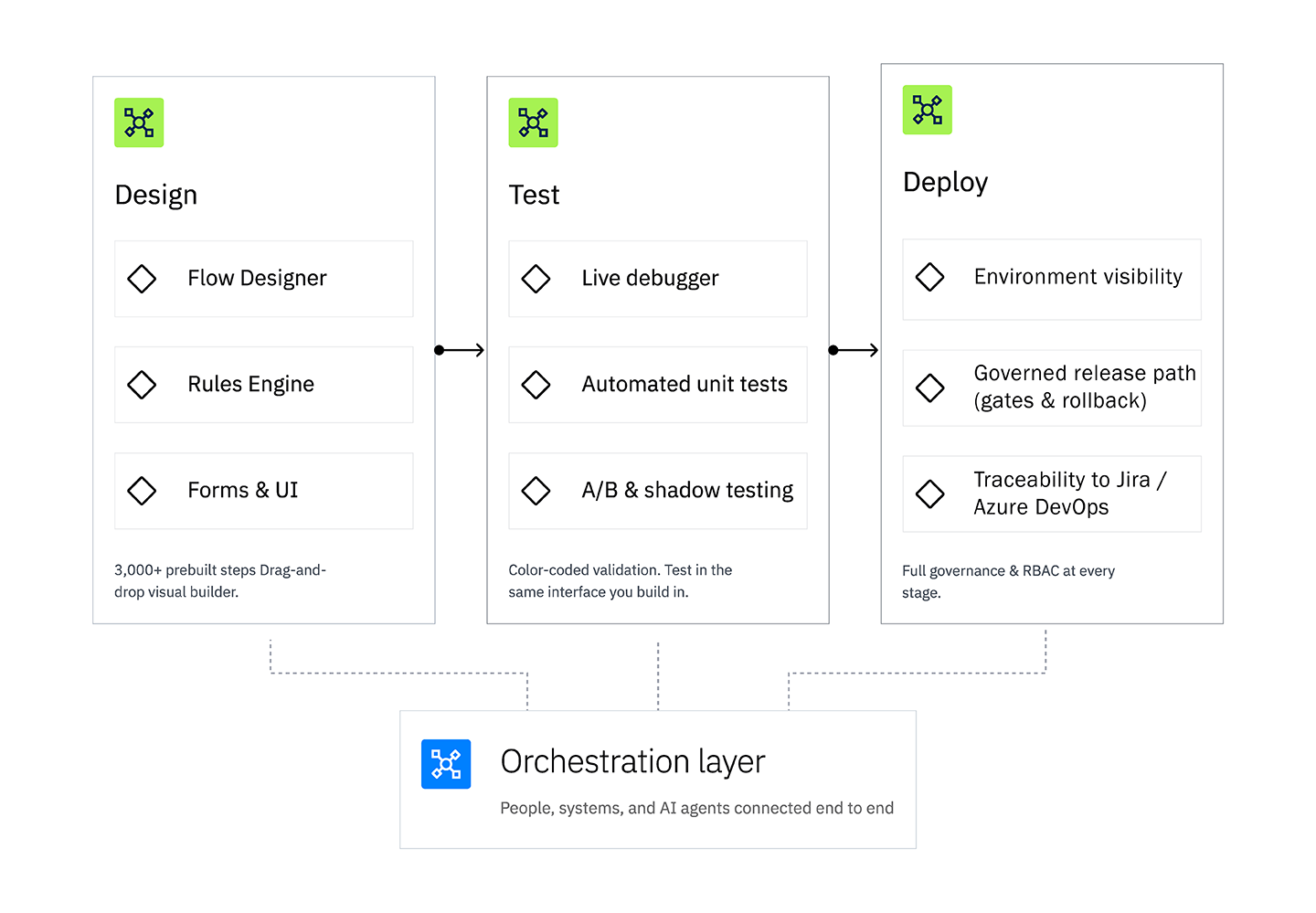
Build and govern every stage of automation in one place—from visual process design and rules testing to controlled deployment across your enterprise.

Design in Decisions. Test with real scenarios. Deploy through controlled projects, branches, revisions, and environments—without splitting work across disconnected tools.
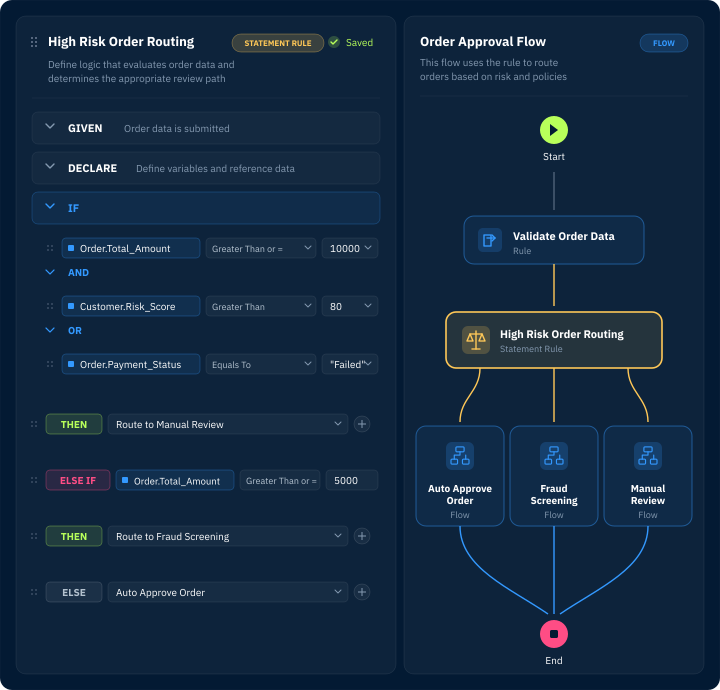
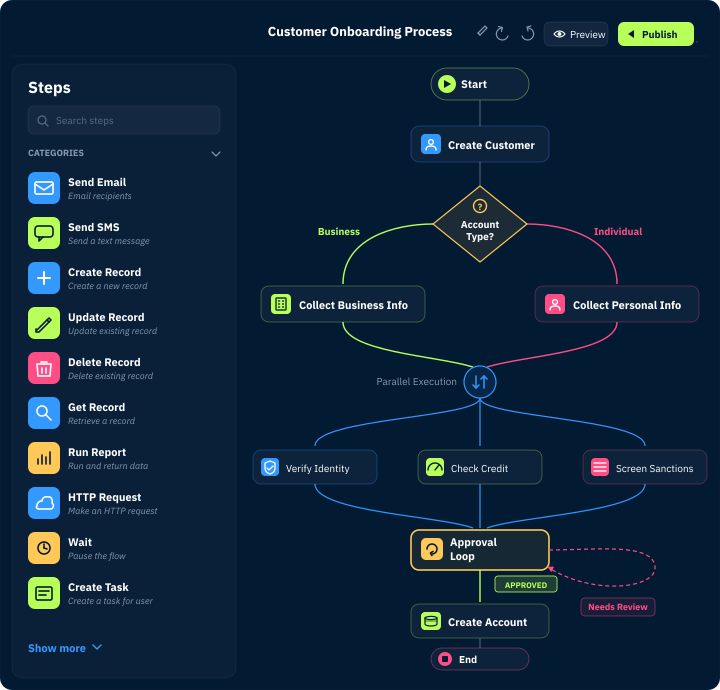
Drag, drop, and orchestrate. The Flow Designer turns complex business logic into visual workflows anyone can read, maintain, and extend.

Build end-to-end processes with drag-and-drop steps.


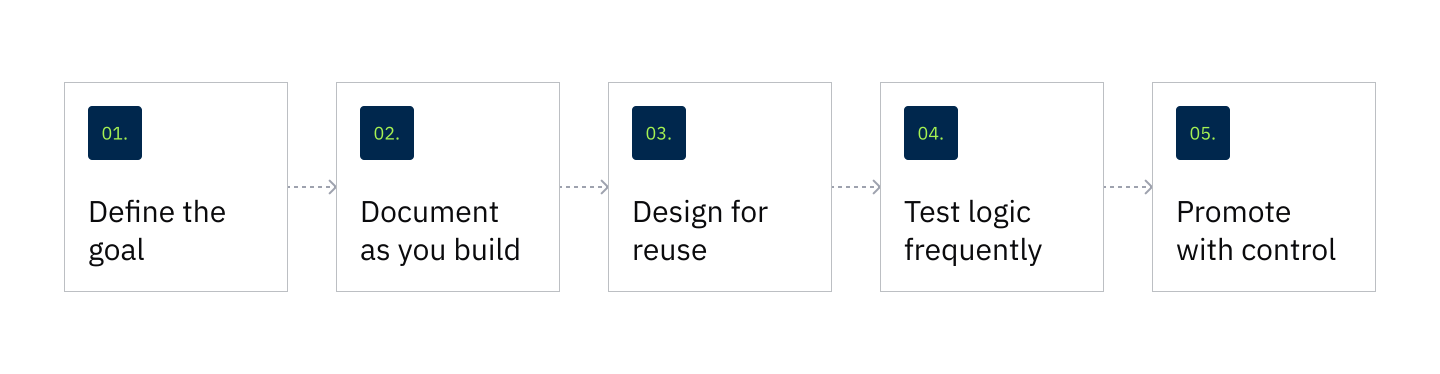
Use Decisions best practices to keep automation readable, reusable, documented, tested, and ready to move from development to production.
Explore interactive demos built around real-world challenges teams face when automating, orchestrating, and governing complex processes.
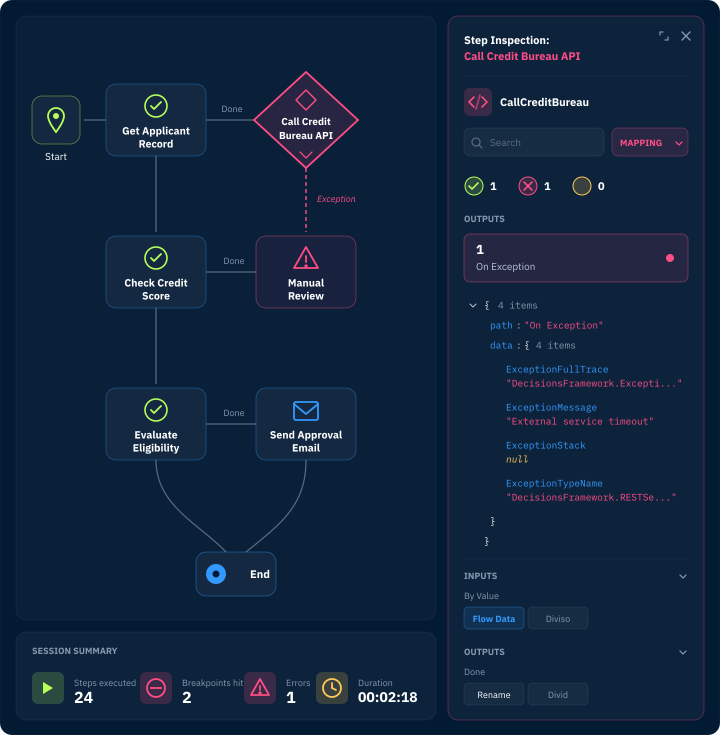
Validate rules, debug flows, and simulate outcomes—directly in the same visual designer you built them in. No exports. No separate environments. No surprises in production.

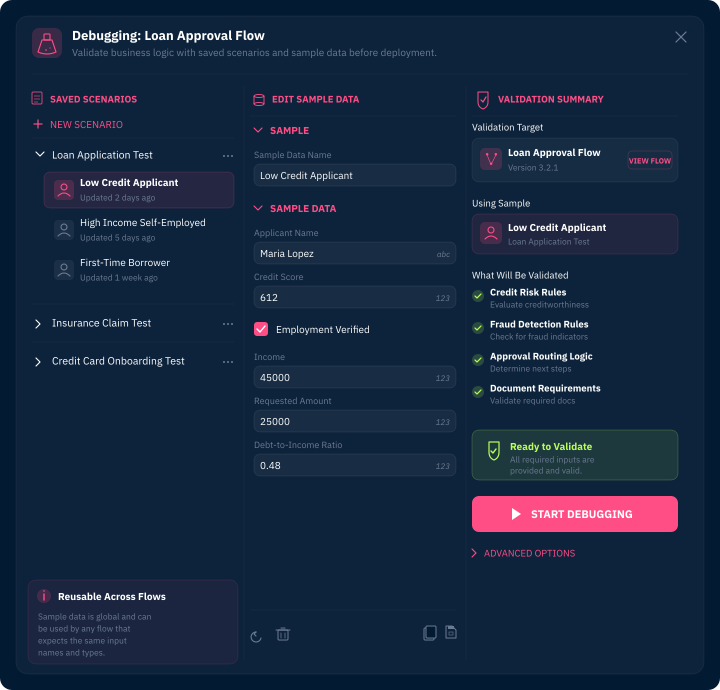
Use the Flow Debugger and sample data to test process logic during design and catch issues earlier.


Move projects from development to production with the visibility and governance enterprise teams need. Deployment Tower brings planning, validation, and promotion into one system, so every release ships tested, traced, and approved.

Know exactly what's deployed in Development, QA, UAT, and Production, across every project and organization you manage.

Sync Jira, Azure DevOps, or any other PMIS, so every release links back to the user story that drove it, creating a full audit trail from ticket to production.

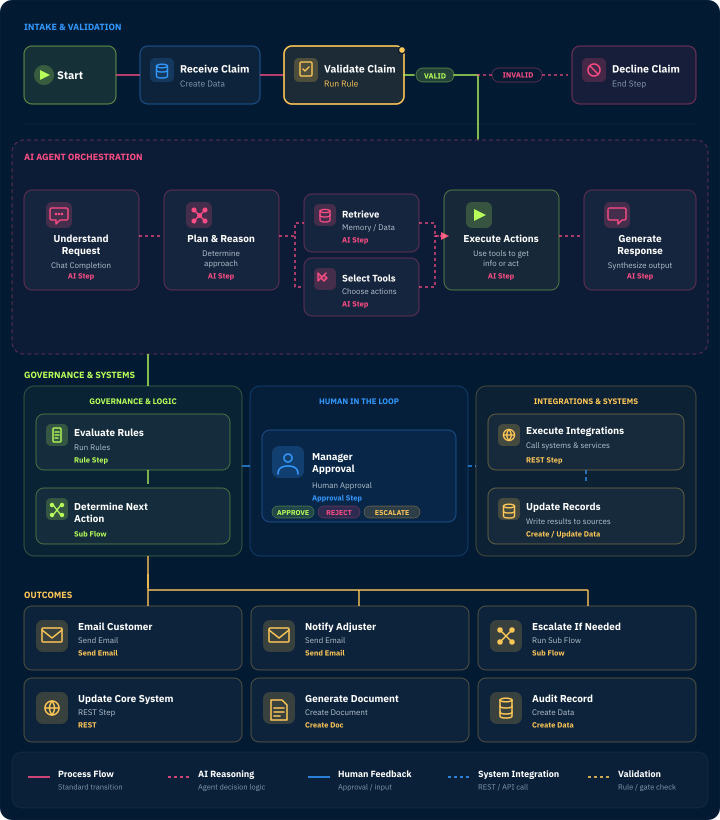
Every workflow you design, every rule you test, and every deployment you push is orchestrated end to end. Decisions coordinates people, systems, and data across your entire operation—with full visibility and control at every step. Connect to external systems through REST APIs and prebuilt modules, trigger multi-step processes across departments, and keep humans in the loop exactly where they need to be. This isn’t just automation. It’s orchestration.
“I'm able to build enterprise grade applications without writing a single line of code. The designers are easy to use, and I've been able to get the performance and speed that I desire for my applications.”


Design, test, and deploy without switching tools or environments.

No translation layer between business users who design rules and workflows visually, and developers, who integrate them.

Add projects, teams, and organizations without adding complexity. The platform grows with you, from one workflow to enterprise-wide automation.
Teams build workflows, rules, forms, integrations, and AI-enabled processes, validate them before launch, and release them through Deployment Tower, a governed system for planning, testing, and promoting projects to production.
Deployment Tower is where every release gets planned, validated, and promoted, from Development through QA, UAT, and Production. It tracks deployment packages across every environment, links releases back to the Jira or Azure DevOps story that drove them, and manages permissions centrally by role.

See how Decisions brings design, test, and deploy into one orchestrated platform. Talk to our team today.

Define promotion paths visually, with automated quality gates, conflict detection, and rollback triggers protecting production at every stage.
Yes. Decisions provides visual designers for workflows, rules, forms, and processes so business and technical teams can collaborate in one environment.
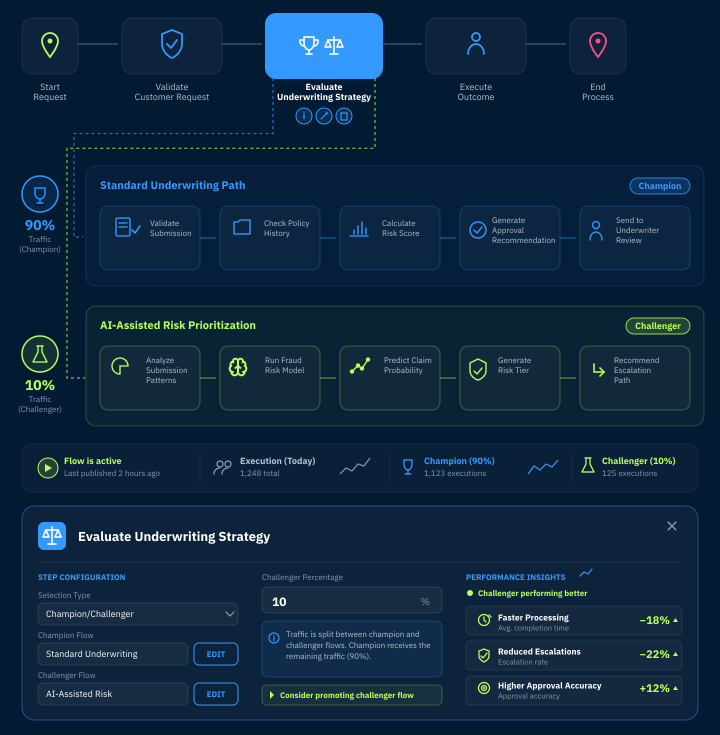
Teams can test workflows, rules, data mappings, and process behavior before production, then review project health, errors, and execution details to improve reliability.
Decisions lets you design, test, and deploy from a central control plane, tracking every release across environments and linking each change back to Jira or Azure DevOps.
Yes. Deployment Tower brings governed release management, full auditability, role-based access, and deployment practices that fit complex enterprise environments.