Build workflows that connect processes, systems, rules, and AI agents—so work gets done more efficiently, exceptions stay controlled, and every action is easier to change and audit.


Work moves across tools, inboxes, spreadsheets, and portals with no single place to manage it.

Rules and decisions are buried in workflows or custom code, making every change slower than it should be.

Teams lose time routing requests, chasing approvals, and rekeying data between systems.
Work rarely follows a straight line. Decisions helps workflows adapt to changing conditions and keep every step guided by the right rules.

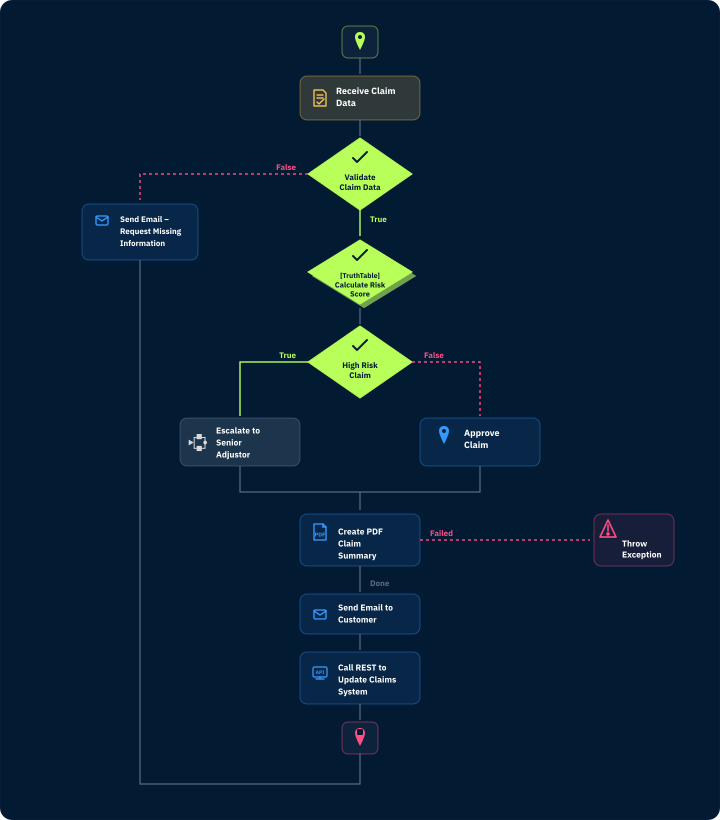
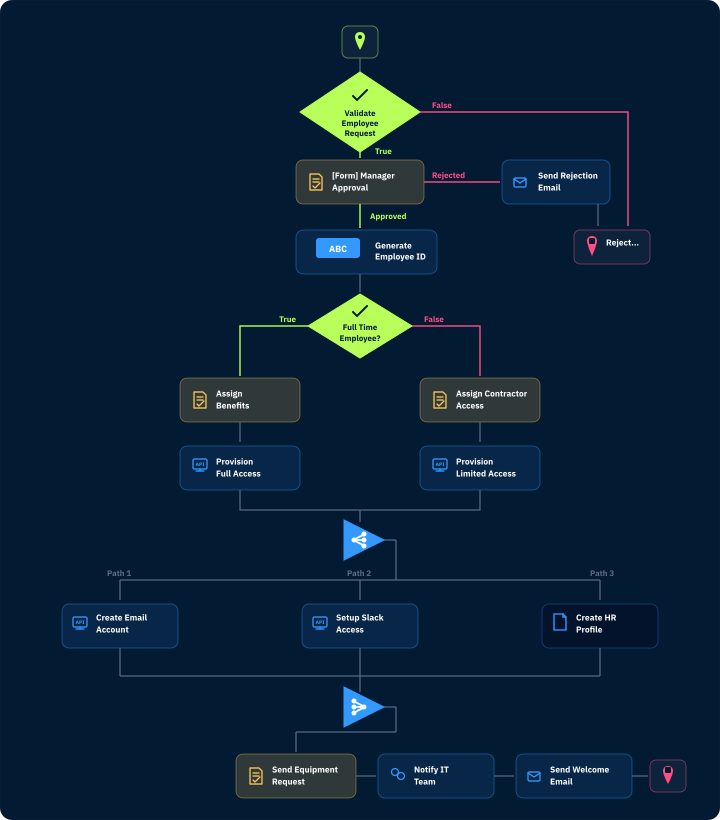
Design workflows as a sequence of steps that reflect how work actually gets done—from start to finish.

Use rules to control routing, approvals, exceptions, and what happens next.
Build workflows from scratch without code—or accelerate design with thousands of prebuilt actions and interactions.

Design workflows without code as step-based flows that define how work moves from start to finish.


“Decisions enables us to deliver completely visual workflow and business rules process management solutions for any business.”

Use Decisions Form Designer to build forms that capture the right information at the point of entry and connect directly to the workflows that route, process, and act on it—so every submission kicks off a structured, automated process.
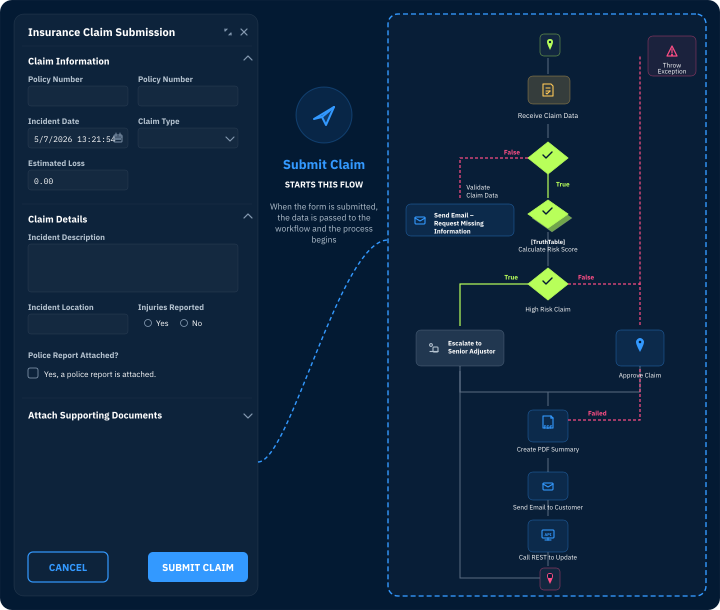

Build, change, and scale workflows faster using visual tools, reusable steps, integrations, and rules.

Control routing, approvals, exceptions, and outcomes with rules that are easier to update, govern, and audit.

Coordinate tasks, systems, data, and agents across end-to-end work.



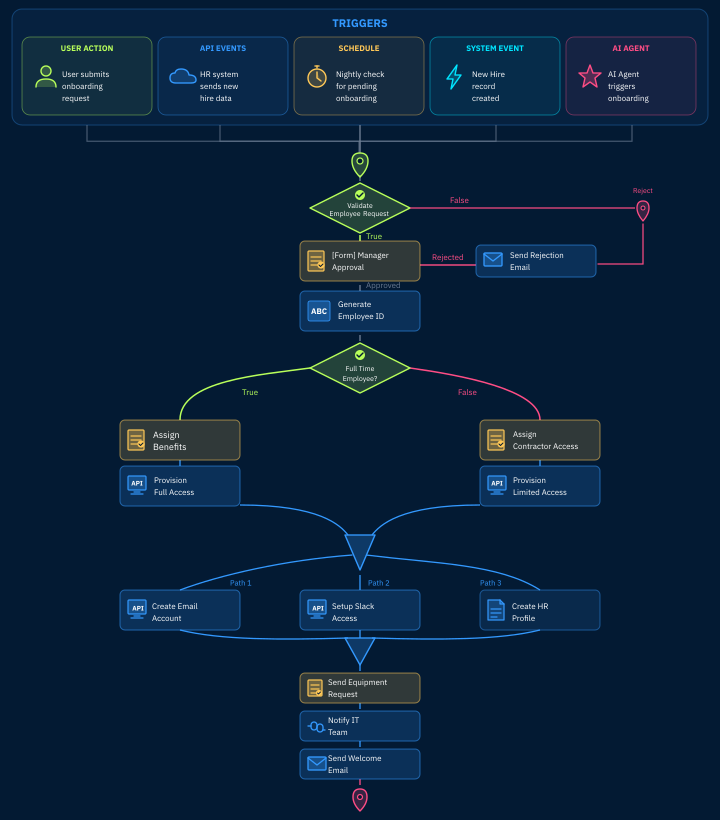
You can build approvals, requests, case workflows, onboarding workflows, exception handling, system orchestration, and industry-specific workflows.
Decisions uses visual workflow design and reusable rules, so teams can update logic, routing, approvals, and steps without digging through custom code.
Decisions coordinates work across people, systems, data, rules, and AI agents so every step is connected, governed, and visible.

Design, orchestrate, and improve workflows with rules, AI, and process intelligence built in—so work moves faster and stays easier to control.

Leaders can't easily see where work stands, why it stalled, or what needs attention.

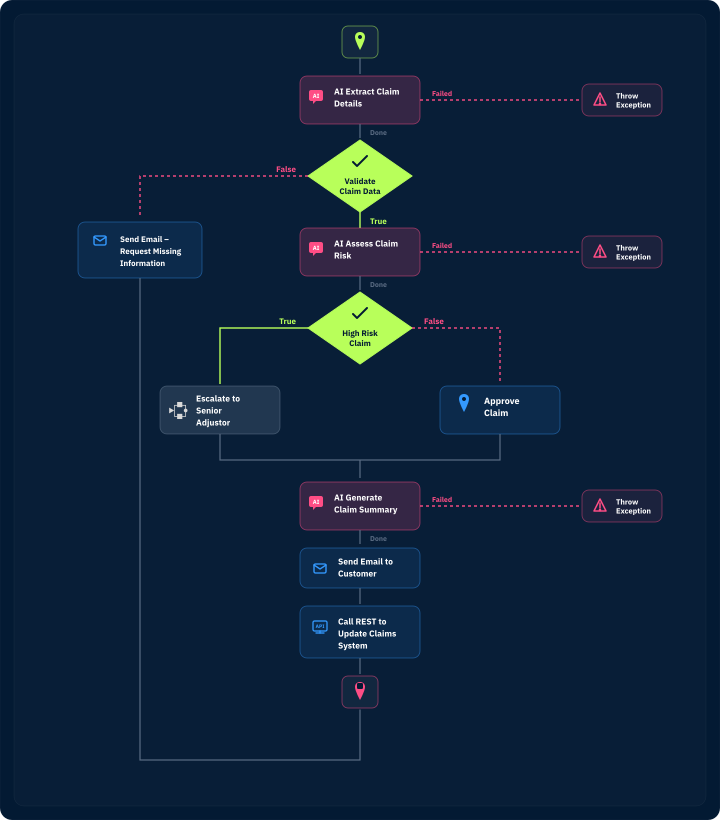
As AI agents enter workflows, organizations need control over what they can do, when, and why.

When processes break or fall outside standard rules, teams rely on manual workarounds that slow resolution and increase risk.

Enable business users to update logic and flow paths without slowing work in progress.

Let agents participate in workflows without giving up oversight, approvals, or auditability.

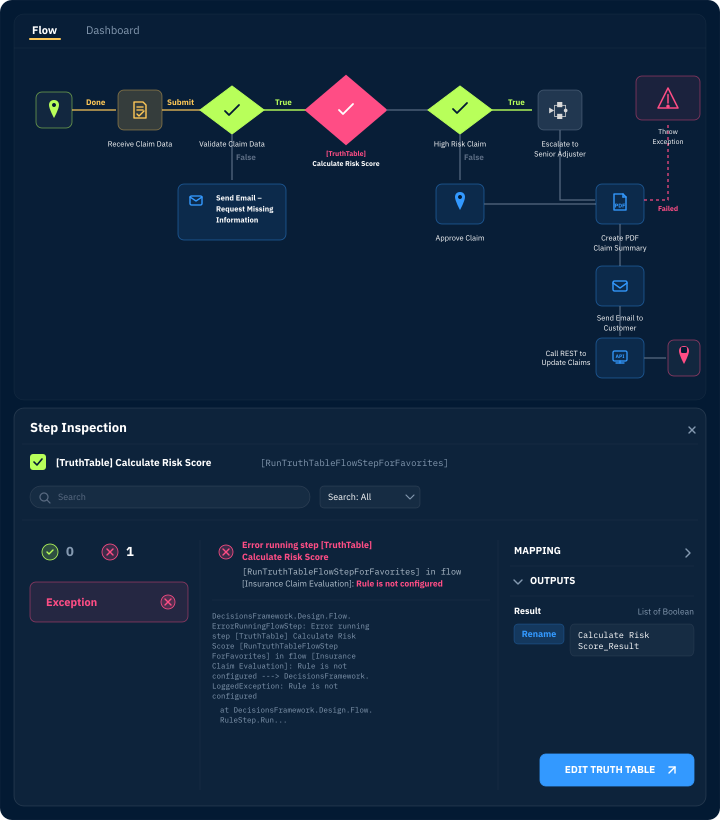
Track workflows in real time, analyze performance, identify bottlenecks, and continuously improve how work gets done.

Link systems, data, APIs, and AI services into workflows that are easier to change, monitor, and scale.
Yes. Decisions can orchestrate agent actions within governed workflows, using rules, approvals, audit trails, and controls to manage what agents can do.
Basic workflow tools route tasks. Decisions combines workflow automation, rules, integrations, orchestration, governance, and agent coordination in one platform.


© 2026 Decisions