Everest Group’s Process Orchestration Products PEAK Matrix® Assessment 2025

Testing Overview

Build, test, and deploy—in one unified interface.

Design, simulate, and debug without ever switching screens. With Decisions, rules and workflows are all built and tested in a single visual environment—streamlining performance and accelerating delivery.
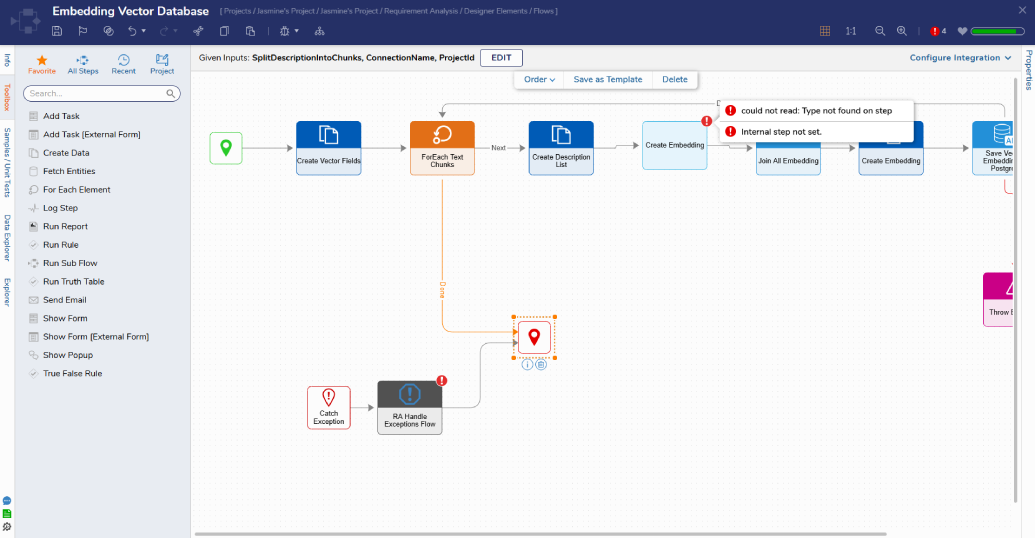
Validate logic Instantly as you build.

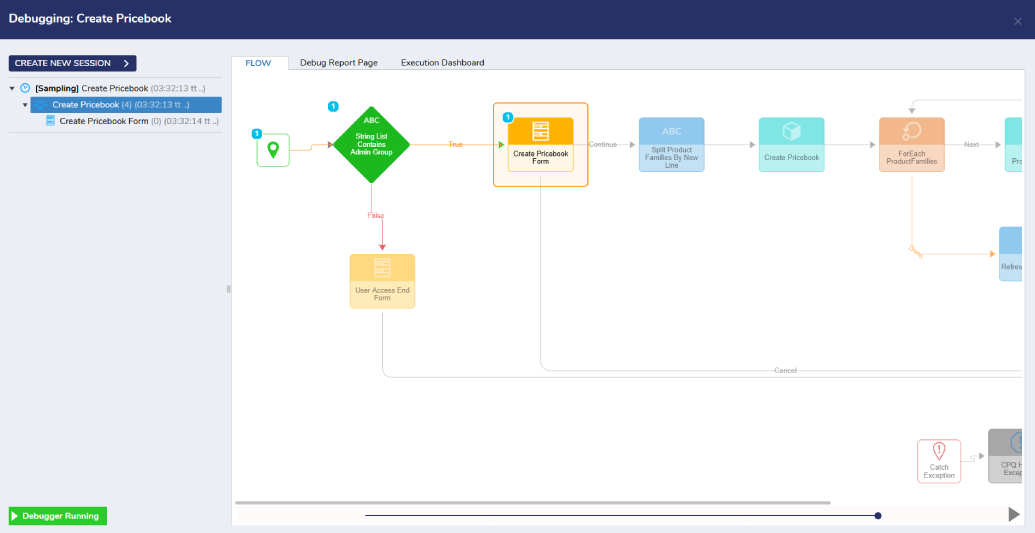
Visual testing, real-time feedback.

Test rules, flows, and forms directly in the designer. Instantly see how inputs impact outcomes—no code, no delays.

visual-testing-real-time-feedback

Self-validating workflows and forms.

Spot broken logic as you build. Get immediate alerts for missing data, unconnected steps, or invalid configurations—before they cause issues.

self-validating-workflows-and-forms

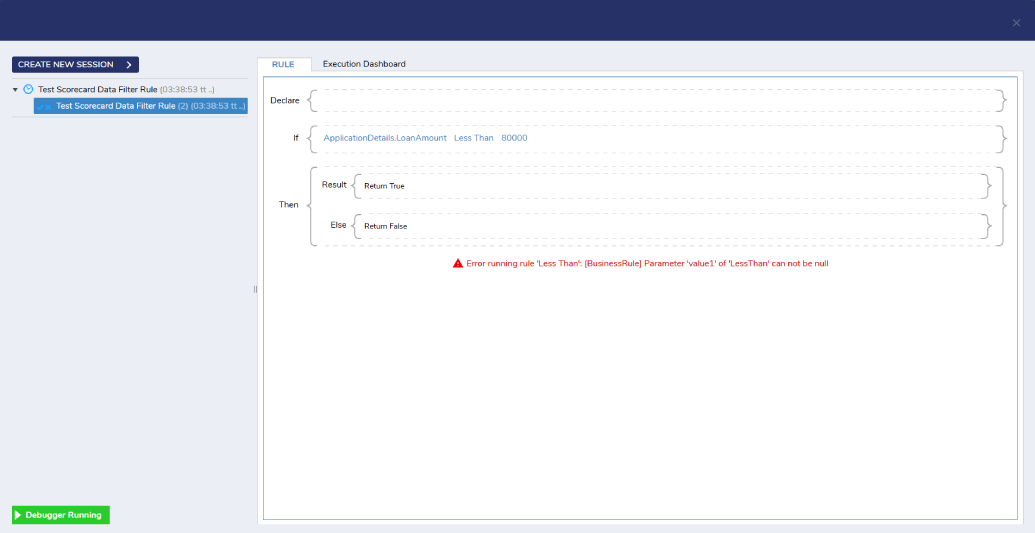
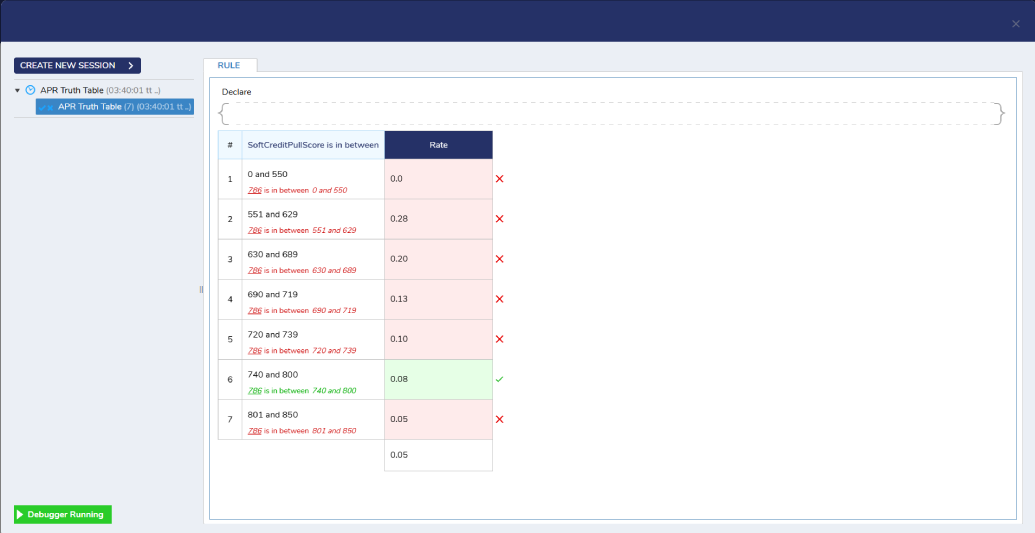
Self-validating rules.

Test and see the accuracy of your rules as Decisions evaluates and highlights every rule phrase and condition based on the input data provided. With color-coded logic paths and live data inputs, Decisions makes it clear what passed, what failed, and why.

self-validating-rules

Go deeper with automated and comparative testing.

Unit testing.

Create permanent, automated rule and workflow tests. Run them on a schedule or after updates, and get alerts on failures—so nothing slips through the cracks.

unit-testing

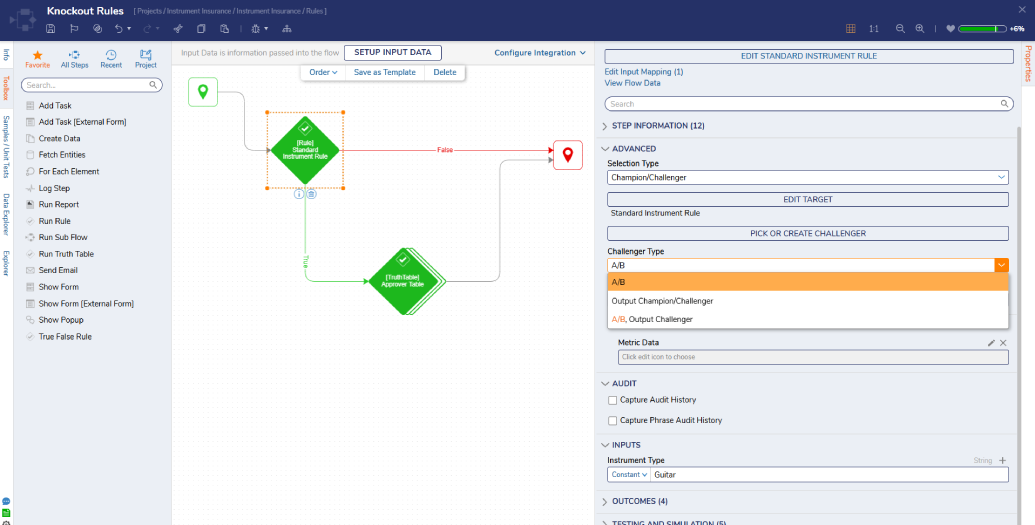
A/B and shadow testing.

Run A/B and shadow tests directly inside the same interface—no exports needed. Compare rule versions, simulate outcomes, and safely test behind the scenes before deploying.

A _B testing

Launch with confidence—right from the designer.

Build smarter, test safer, and deploy faster—all without leaving the visual interface.

FAQs

Testing in Decisions refers to the suite of tools such as Unit Tests, Debugger, Step Simulation, Rule validation, and Front-end/UI testing that lets you validate flows, rules, and user interfaces before deploying them. Testing is important because it helps catch logic errors, ensures data is handled correctly, reveals broken workflows, and minimizes production risk.

The Unit Test Results Page is a dashboard within any Designer Project that aggregates all Unit Tests for flows/rules in that project (and optionally sub-folders). Key features include:

Running all unit tests for the current folder or including sub-folders.

Running tests per flow or single tests.

Editing, copying, or deleting unit tests directly from the dashboard.

Yes, Decisions supports robust integrations with third-party testing tools such as Apache Jmeter.

Front-end / UI testing in Decisions is about automating user interactions in portals, forms, or UI components to ensure that the user-facing parts behave correctly. Key elements:

Using tools like Selenium combined with NUnit for browser automation, simulating user actions (data entry, form navigation).

Using the Decisions.UnitTests.Web DLL (or similar helper libraries) to locate form controls/components via unique identifiers (e.g., data-component-id) to interact or assert on UI.